

Dear traders, Thank you for choosing DeltaFX as your trading broker. In this article, we will guide you through the process of creating a trading account in DeltaFX. We will explain how to open both real and demo accounts step by step. We will also cover important prerequisites such as identity verification on deltafx.
If you are unable to open your trading account after following this guide, please contact the DeltaFX support team for assistance.
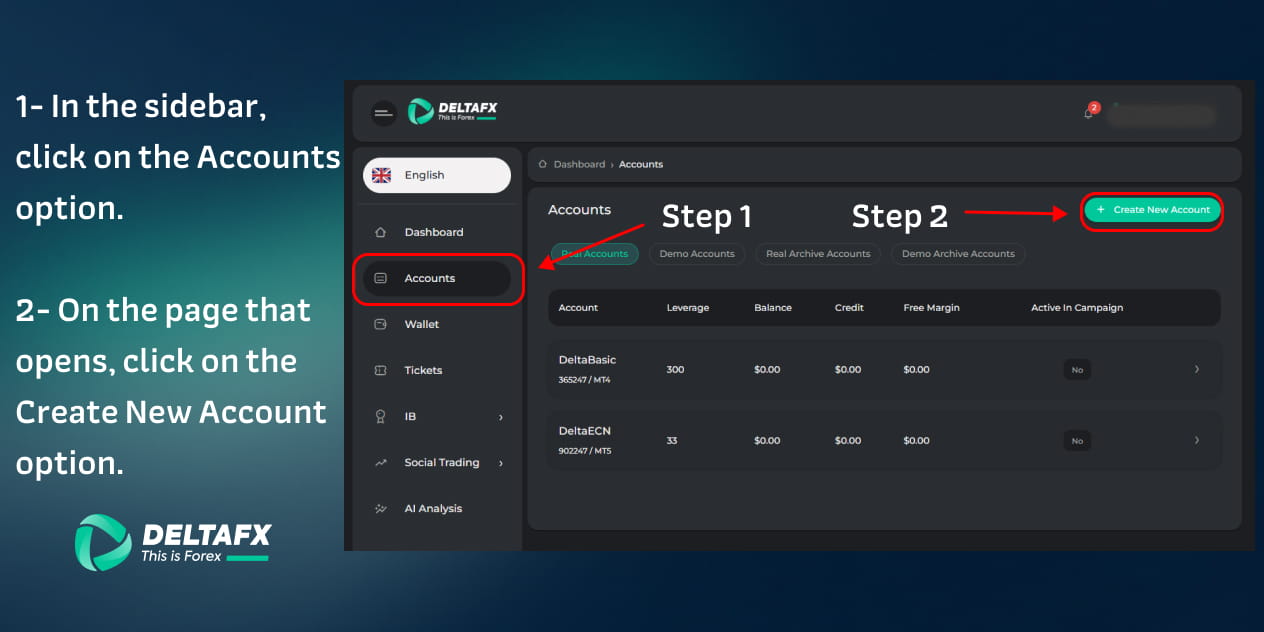
1- Click on the “Accounts” option in the sidebar
In the sidebar of your CRM panel, click on the “Accounts” option. After clicking, you will be redirected to the page where the list of your accounts in DeltaFX is displayed.
2- Click on the “Create Account” option
On the page that opens, you will see a list of all the trading accounts you currently have in DeltaFX. If you are a new client, no accounts will be displayed yet and you will need to create one.
To open a new account, click on the “Create Account” button located above the table.
3- Select your desired platform and account type
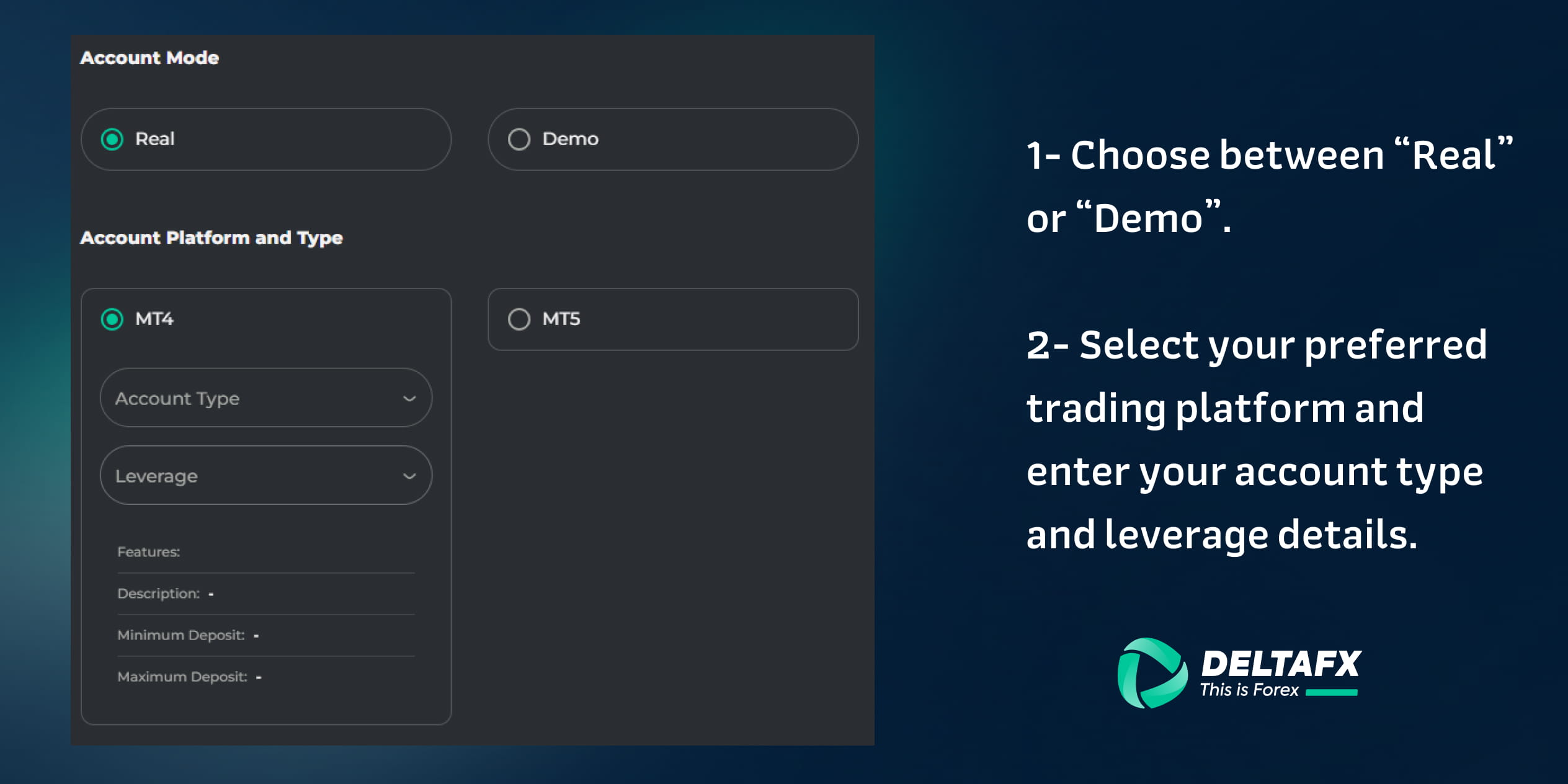
When opening a trading account, you need to select several important options. First, you must specify the account mode. If you choose the Demo option, you can practice trading with virtual funds and become familiar with the trading environment without any financial risk. In contrast, a Real account allows you to trade with real funds and experience actual profits or losses.
Next, you need to choose your trading platform. DeltaFX offers two popular trading platforms: MetaTrader 4 (MT4) and MetaTrader 5 (MT5). Both platforms are among the most widely used trading software in financial markets and provide features such as fast trade execution, technical analysis tools, and support for various indicators.
The main differences between these platforms include the number of analytical tools, available timeframes, and some advanced features available in MT5.
At this stage, you must first select your preferred trading platform. If you choose MetaTrader 4 (MT4), you will then need to select the account type and your preferred leverage in that section.
If you choose MetaTrader 5 (MT5), you should select the platform first and then determine the account type and trading leverage within the MT5 section. Therefore, the account type and leverage are selected based on the platform you choose.
After entering the required information, click on the “Create Account” button.
Note: On each trading platform (MT4 or MT5), you can have only one account per account type.
4- Your account has been created
Congratulations! Your trading account has now been successfully created. The next step is to fund your account so you can start trading. For this purpose, we recommend reading the comprehensive guide on Deposit Funds into Your Trading Account.