


DeltaFX Leverage Change Guide
If you wish to modify the leverage of your trading account after opening it, follow the steps below.
🎥 Video Tutorial (Step-by-Step)
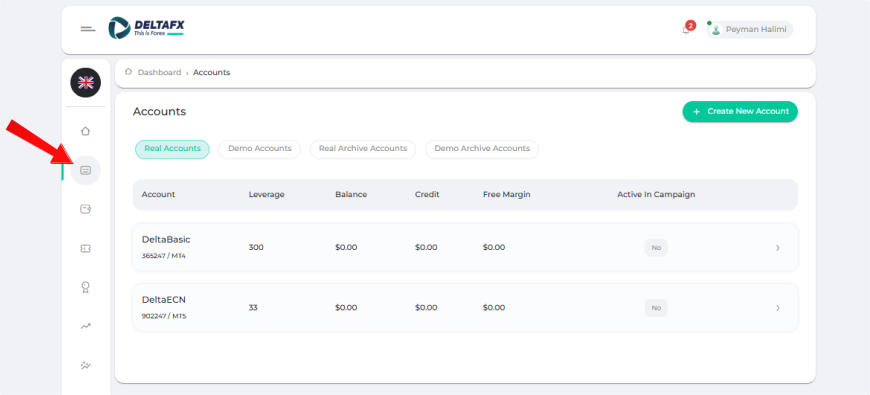
Step-by-Step Process to Change Leverage
Go to the Accounts Section
From the right-side menu of your dashboard, navigate to Accounts.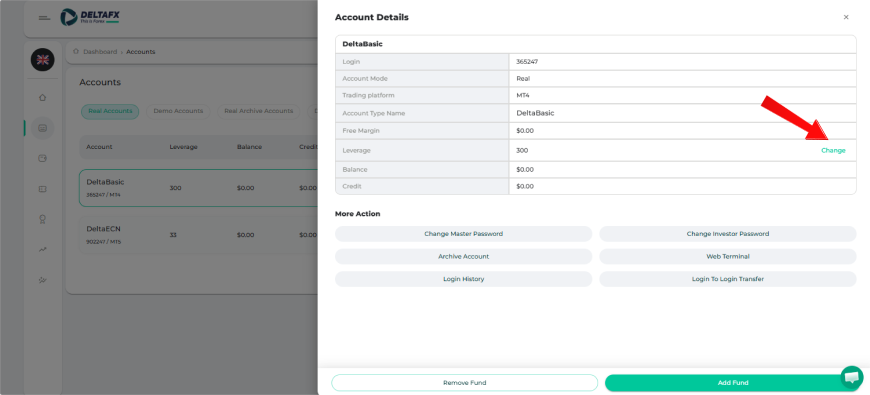
Select Your Trading Account
Choose the trading account for which you want to change the leverage.Click on “Change” in the Leverage Row
In the account details table, click Change next to the leverage option.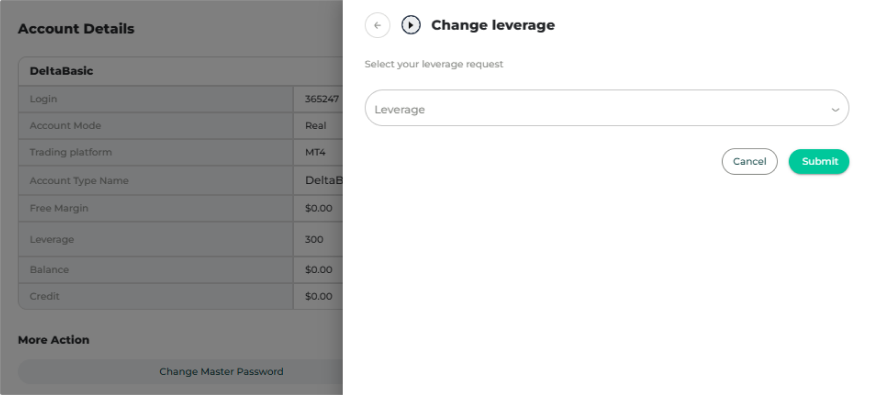
Select Your Desired Leverage
Choose your preferred leverage and click Submit.
Important Notes
If you request an increase in leverage, your request will be reviewed and applied after approval by the support team.
If you request a decrease in leverage, no approval is required, and the change will be applied immediately.
If you are still unable to modify your trading account leverage after following this guide, please contact the DeltaFX support team for assistance.