

Introduction
Identity verification with Delta broker is mandatory to fully activate your trading account, enable deposits and withdrawals, prevent temporary account restrictions, and access all trading features.
If you have completed your registration with DeltaFX but are facing limitations when making a deposit, withdrawal, or opening a trading account, your KYC (Know Your Customer) process is likely not yet complete.
In this guide, we will walk you through the identity verification steps in a clear, step-by-step format to help you activate your account quickly and without errors.
DeltaFX KYC Guide: Step-by-Step Account Verification for Traders
Completing identity verification (KYC) at DeltaFX Broker is mandatory to fully activate your trading account, enable deposits and withdrawals, prevent temporary account restrictions, and access all trading features.
If you have registered with DeltaFX but face limitations when depositing, withdrawing, or opening a trading account, your KYC may not yet be complete.
This step-by-step guide provides clear instructions and visual references to help you verify your account quickly and without errors.
Related Tutorials:
DeltaFX Registration Guide
DeltaFX Identity Verification Guide
Two-Factor Authentication Setup
Comprehensive Deposit & Withdrawal Tutorial
Trading Account Opening Guide

Step 1: Log in to Your DeltaFX Account
Visit the official DeltaFX website.
Click Login on the homepage.
Enter your email or username and password.
Click the Login button.
After logging in, you will be redirected to your account dashboard. If not, click Back to CRM to enter the account management panel.
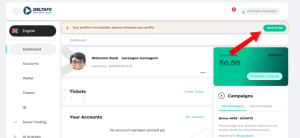
At the top of your dashboard, you’ll see a notification:
“Your profile is incomplete. Please complete your profile.”
Click the Verify Profile button to start the KYC process.
Step 2: Upload Your Identity Documents
Accepted ID documents:
National ID card
Passport
Driver’s license
Process:
Click the notification in your dashboard.
Click Continue.
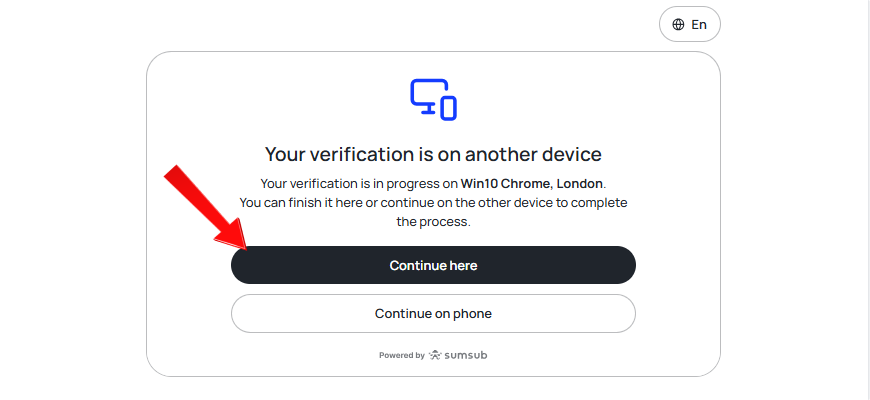
- Select your country of residence: “United States” or “All countries except the United States,” then click Continue.
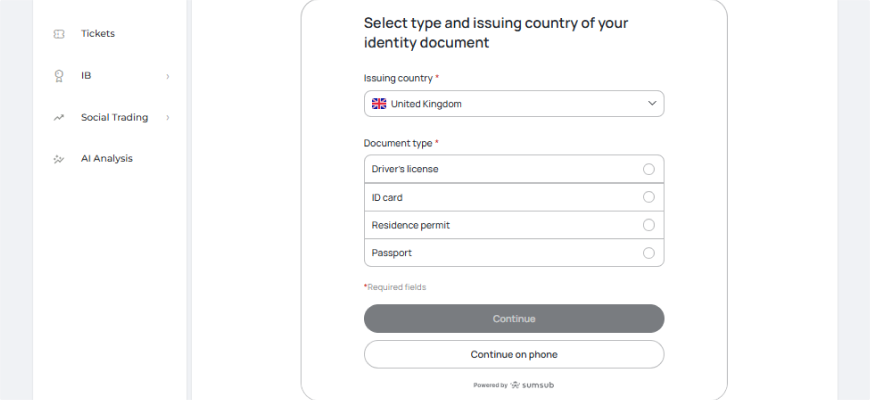
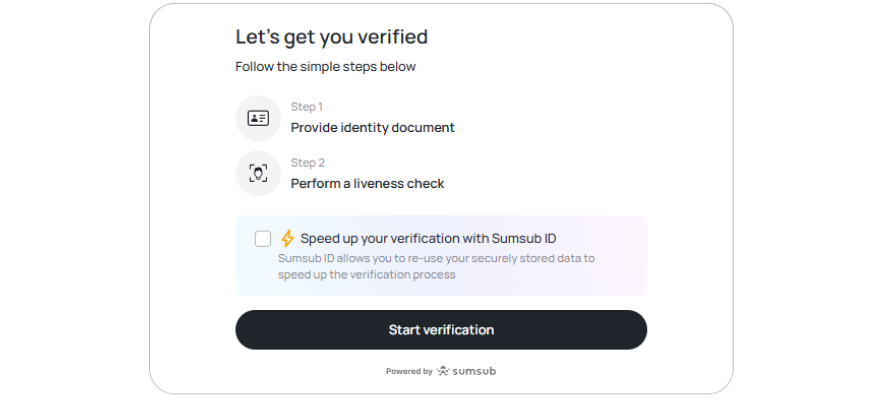
For the best experience, continue the process on your mobile device by clicking Continue on Phone.
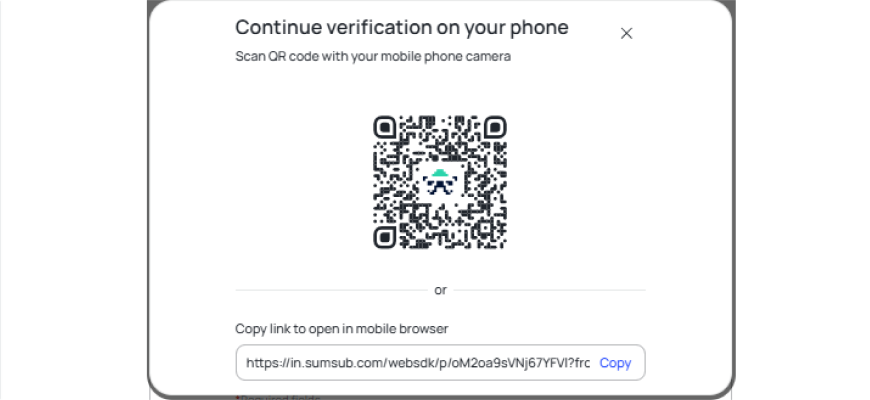
Copy the link or scan the QR code to open the verification page.
Select the type and issuing country of your ID and click Next.
Upload a clear, well-lit photo of your ID. Click Continue.
Record a short video selfie: keep your face fully visible, follow on-screen instructions, and rotate your head as directed.
Important Tips:
Ensure proper lighting.
Do not wear hats, glasses, or masks.
Once completed, you will see:
“Your profile has been verified.”
Step 3: Verify Your Phone Number
Phone verification is required to complete KYC.
On your dashboard, click the green Verify Phone Number button.
Enter your mobile number and request the verification code.
After phone verification, your DeltaFX account will be fully activated, giving you access to:
Open trading accounts
Deposit and withdraw funds
Start trading on DeltaFX
Other tutorials related to the DeltaFX user panel
Broker registration tutorial -> Broker authentication tutorial -> Activating two-step authentication -> Comprehensive tutorial on depositing to the broker -> Broker account opening tutorial -> Broker withdrawal tutorial -> Broker support tutorial
Video tutorial on registering with DeltaFX broker
Support: If you encounter any issues, contact DeltaFX via online chat, email, or phone.